A distraction-free way to cook from online recipes
Client
Bite Size
Year
2024
Description
Scope of Work
The Problem

Opening any recipe on your phone while cooking means navigating a wall of content before you reach the actual instructions. Personal anecdotes stretch for paragraphs. Ads interrupt mid-scroll. Pop-ups demand your email. For someone standing at the stove with floury hands, this friction isn't just annoying — it's a genuine barrier to cooking at home.
More than 50% of a typical recipe page is taken up by content that has nothing to do with cooking. On many platforms this is compounded by auto-play videos and pop-up overlays, turning a simple ingredient lookup into a multi-minute detour.
WHY THIS MATTERS
Users rely on mobile devices while cooking - distractions can be dangerous
Friction discourages the benefits of home cooking - creativity, stress relief, connection
Research
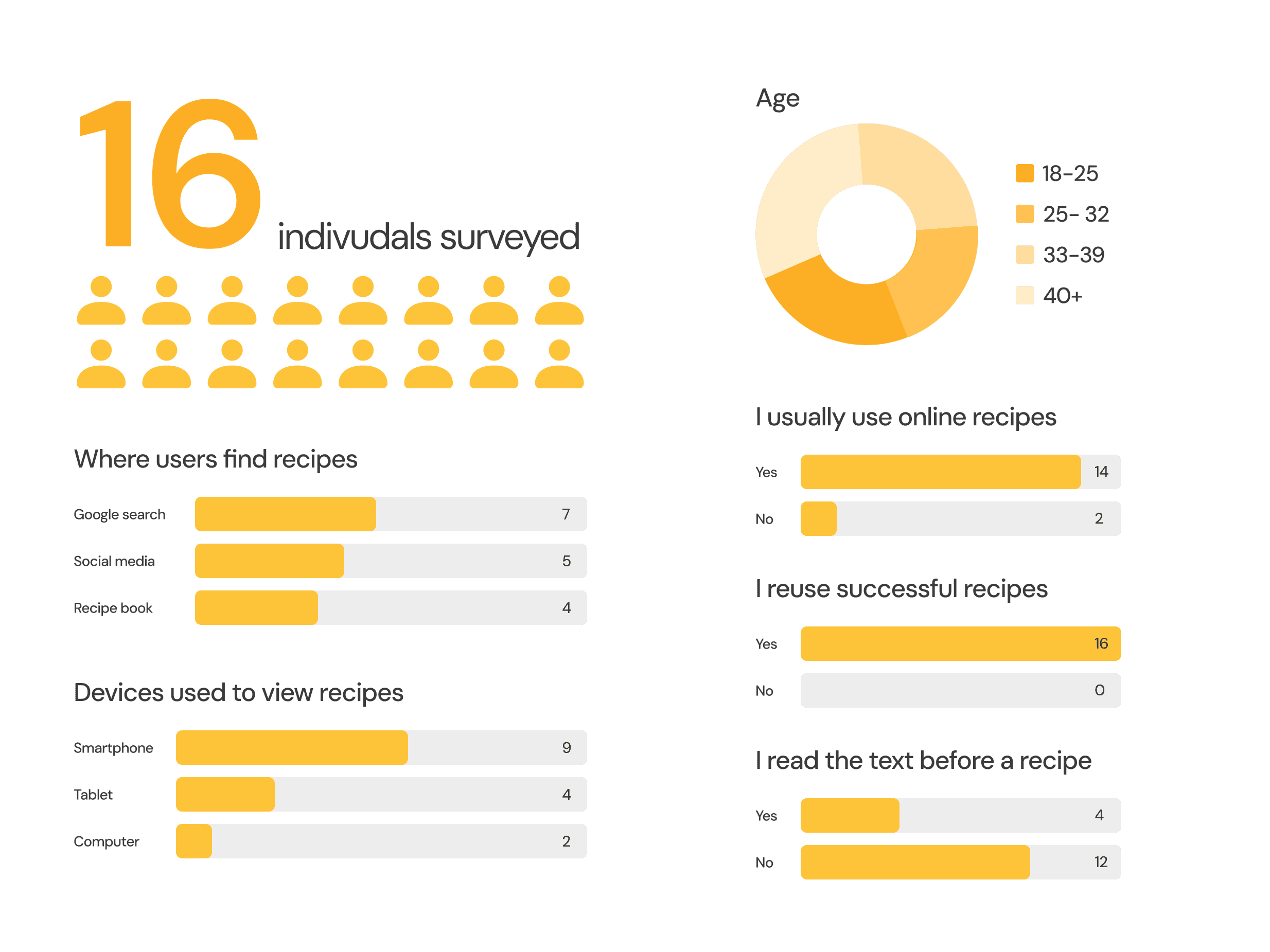
I used three methods to understand the problem space: market research to map trends, a competitive analysis to understand where existing tools fall short, and a user survey to hear directly from home cooks.
Survey
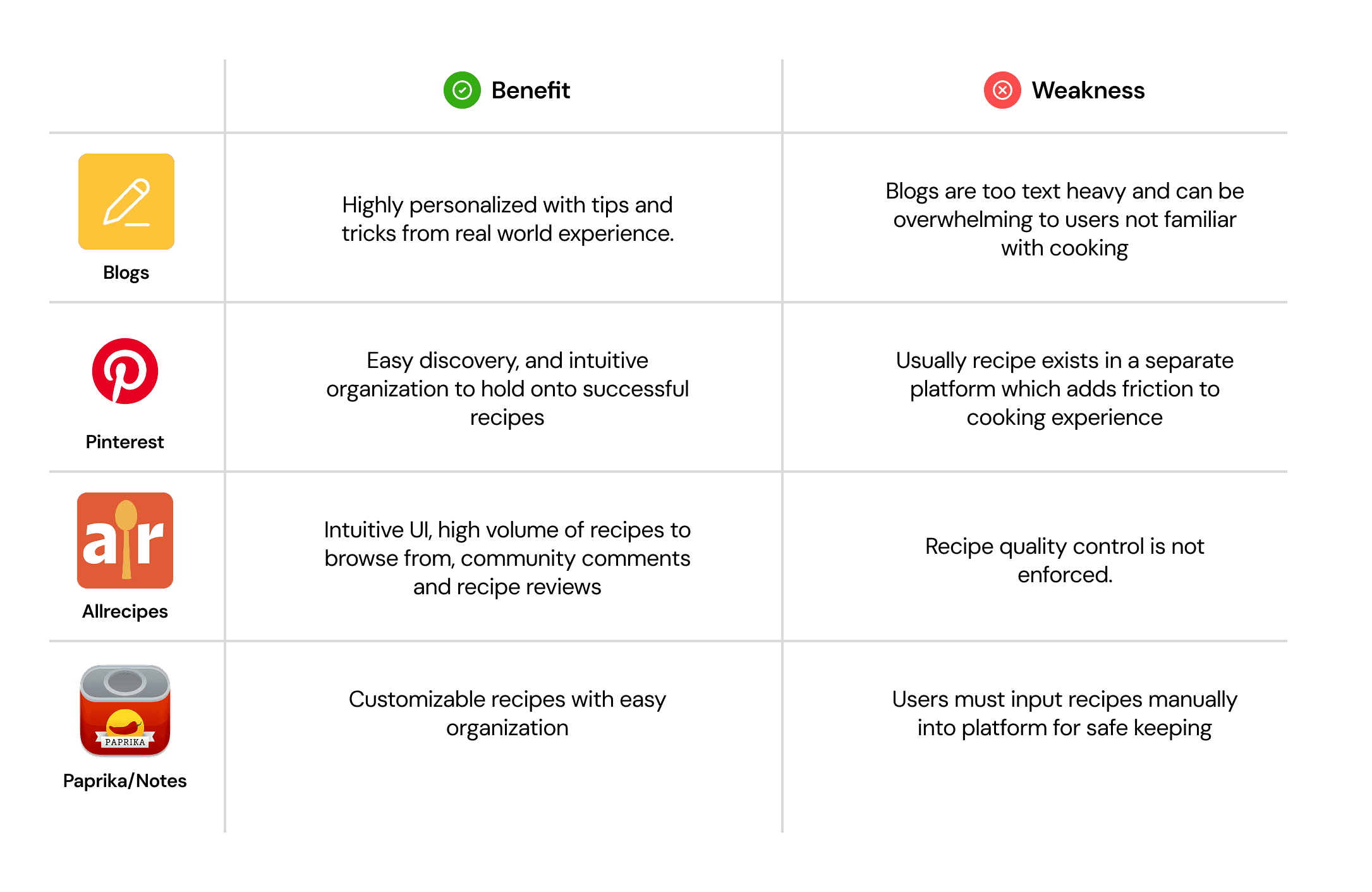
I compared the four main ways people currently find and store recipes:
Competitive Analysis
I compared the four main ways people currently find and store recipes:
Market Research
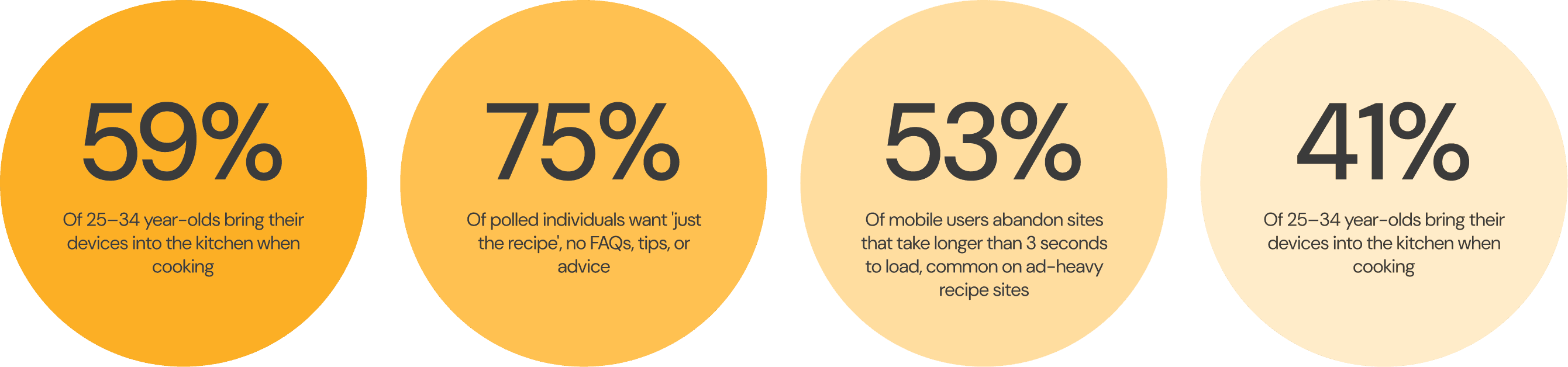
Most users find recipes online rather than in cookbooks — yet they abandon those pages due to excessive scrolling, save recipes across multiple disconnected platforms, and frequently copy recipes into their Notes app just to have a clean version. Mobile phones are the primary device used while cooking.
Users
Based on my survey and market research, two distinct user types emerged with different but complementary needs.
Persona 1: The Habitual Home Chef
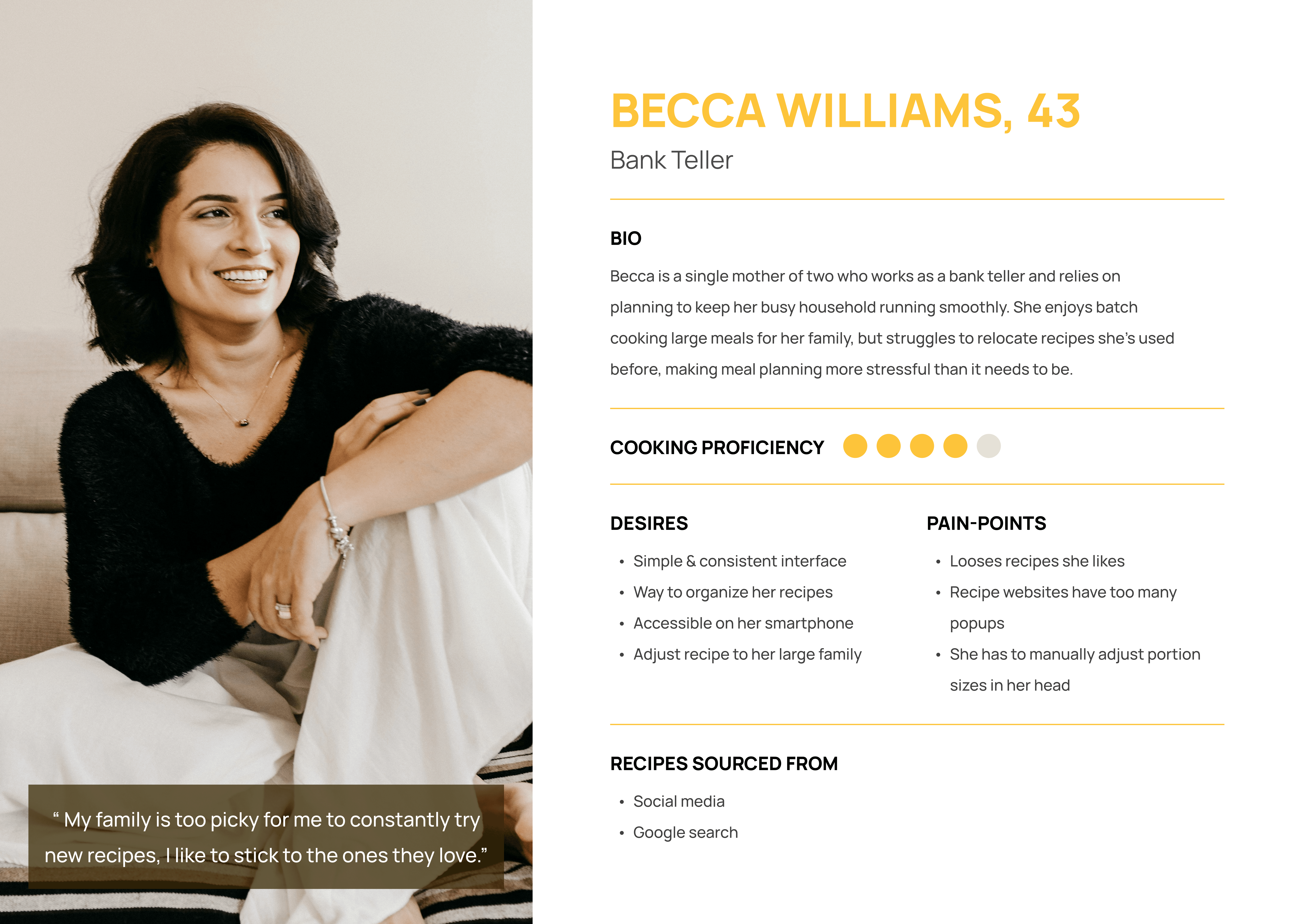
Becca, 43. Knows what she's doing in the kitchen but needs a tool to streamline her process. She cooks large family meals and needs to scale recipes reliably. She loses saved recipes across platforms and is frustrated by the number of pop-ups she encounters.
Persona 2: The Practical Cook
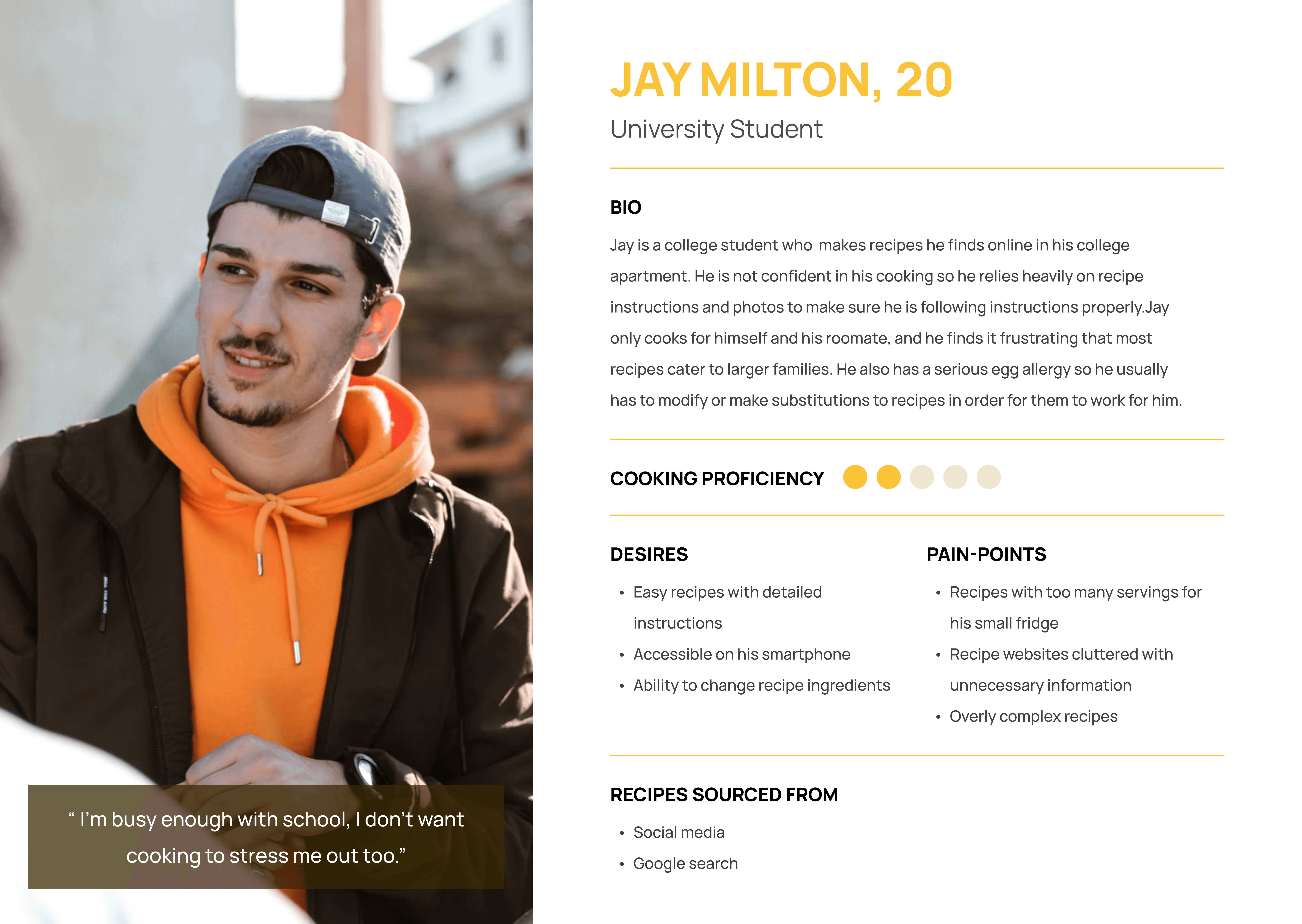
Jay, 20 is a more casual cook who just needs quick access to a reliable recipe without the noise. Values speed and simplicity above all else. Likely to abandon a recipe site if it doesn't load fast or feels cluttered.
Opportunity
There is no simple way to instantly clean and own any online recipe.
WHERE OTHERS ARE FALLING SHORT
Recipe blogs → rich content, but poor usability
Recipe apps → cluttered interfaces, limited user control
Notes apps → flexible, but entirely manual and inefficient
Design Question
The Solution
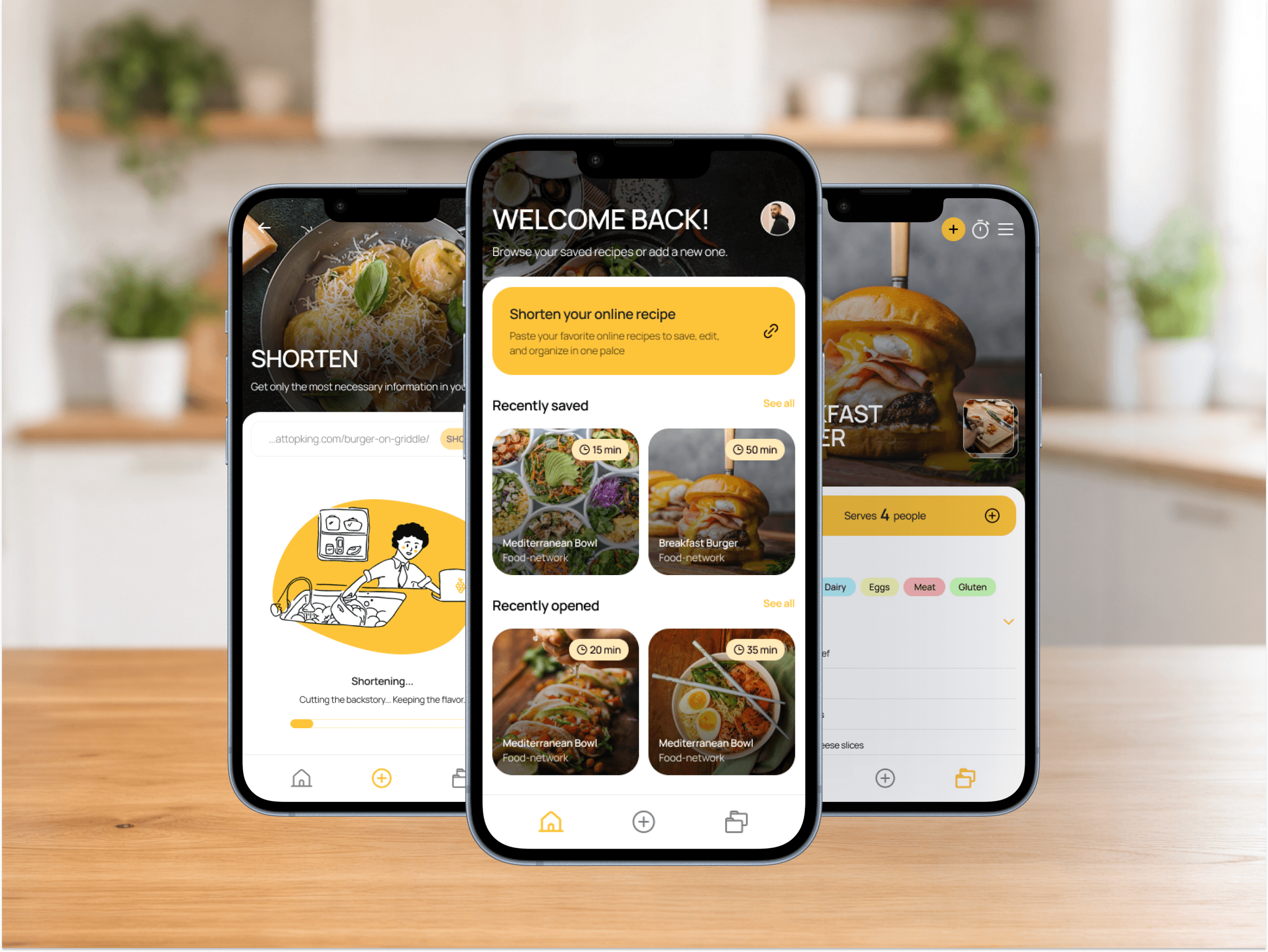
BiteSize turns reading into doing. It assists users of all cooking experience levels in building a personal recipe book with ease and control — pulling in online recipes, stripping the noise, and making them your own.
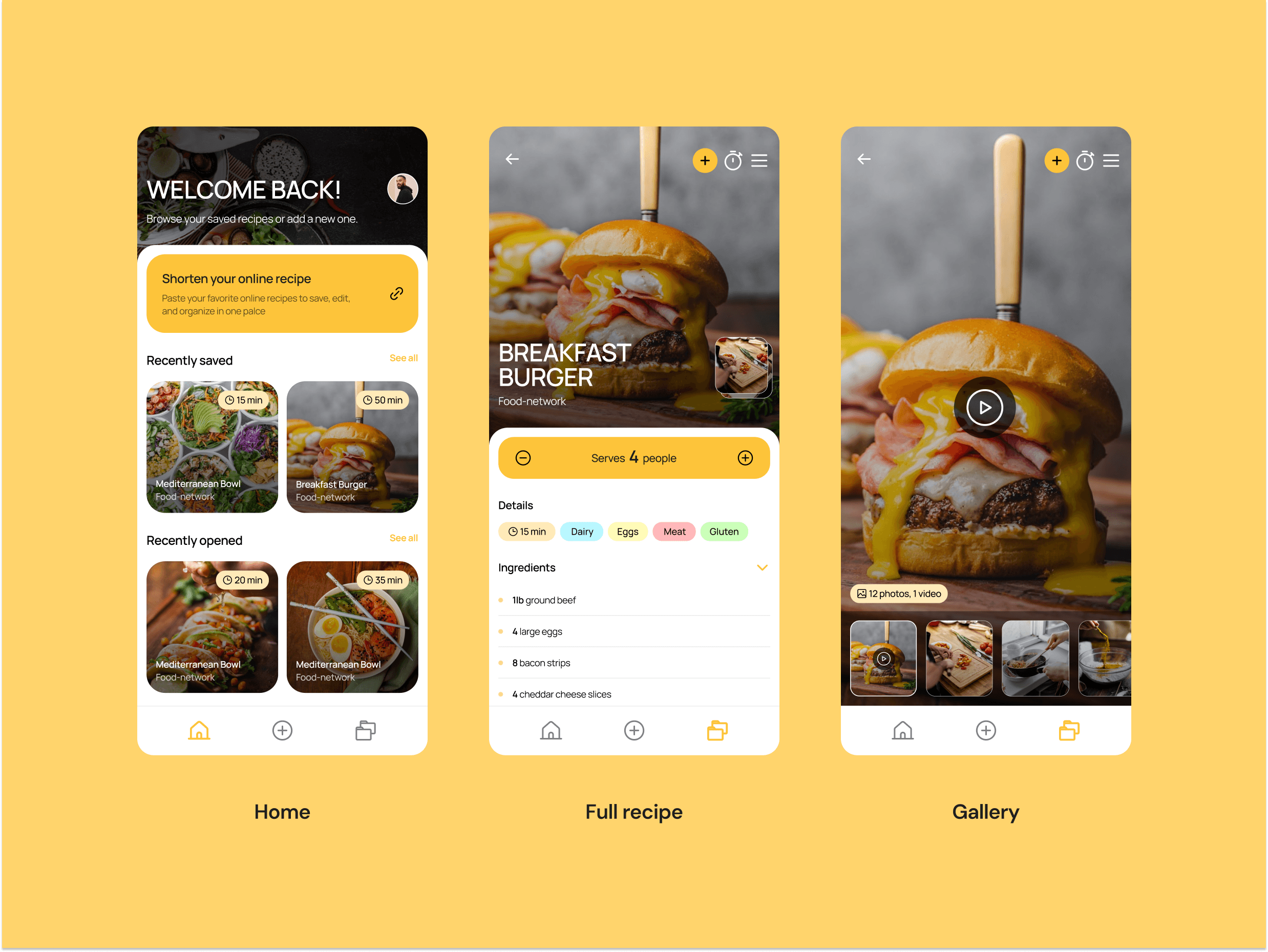
Feature 1 · View Recipes
Save concise versions of your favorite recipes in one place, complete with photos, dietary tags, and serving size details. Easily adjust serving sizes for your family.
Addresses: Users losing saved recipes across platforms; need for clean mobile-optimized recipe view.
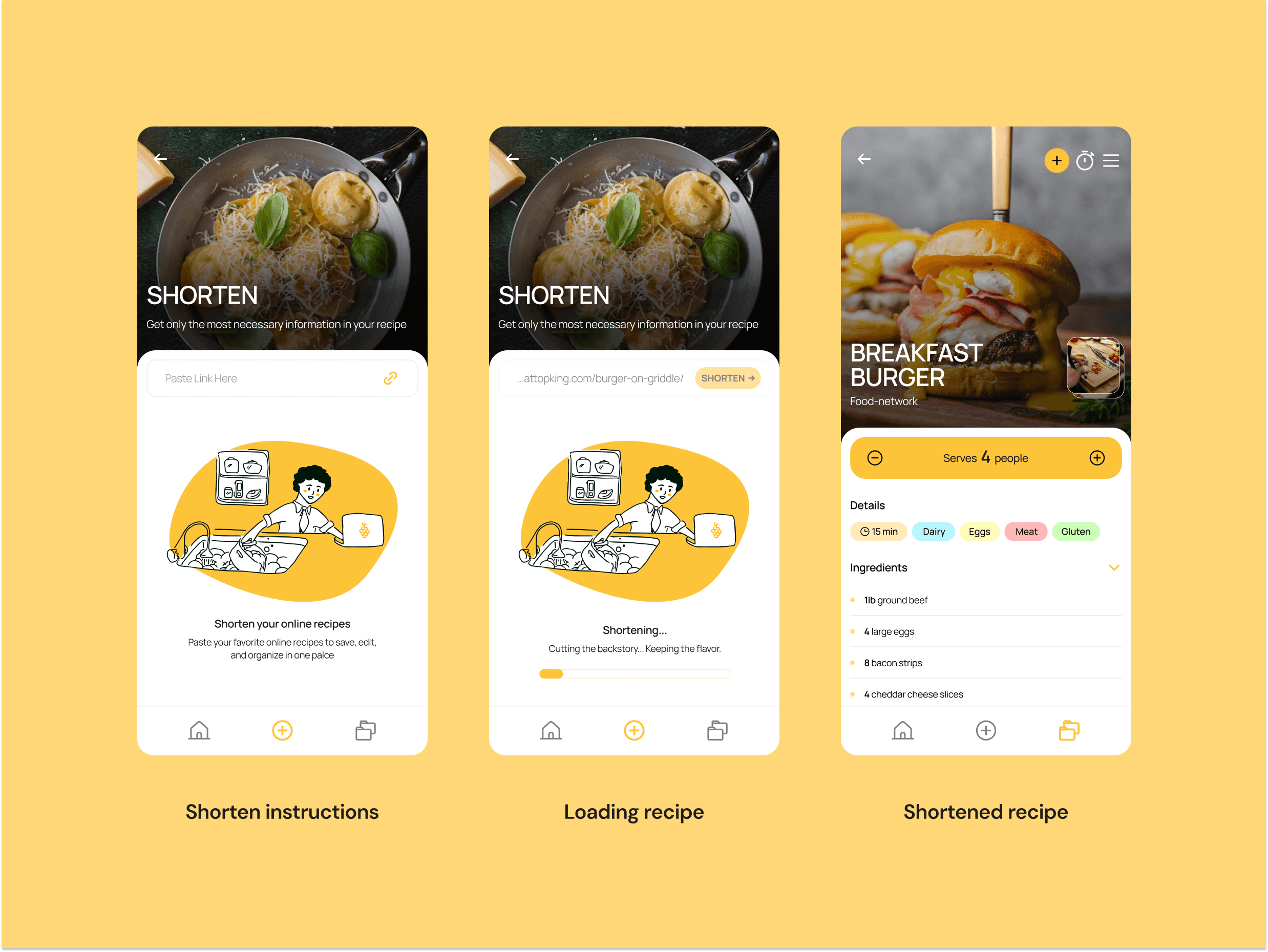
Feature 2 · Recipe Shortener
Paste any online recipe URL into the shortener tool. BiteSize extracts only the essential information (ingredients, steps, cook time) and strips everything else. No ads, no backstory, no popups.
Addresses: 50%+ of recipe page content being irrelevant; 53% mobile abandonment due to slow-loading ad-heavy pages.
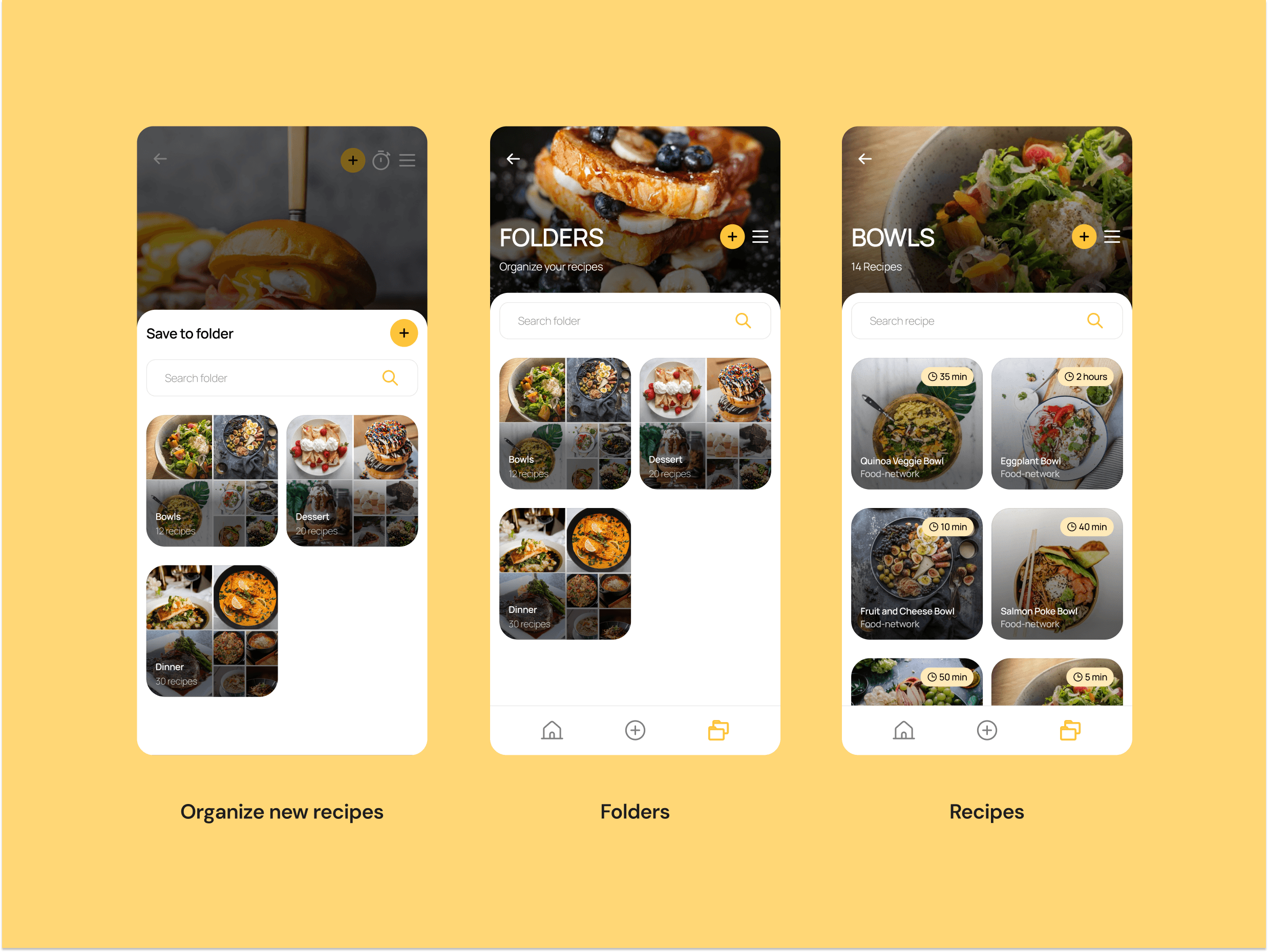
Feature 3 · Recipe Organization
Keep all your saved recipes in one place with personalized folder organization. Create collections by cuisine, occasion, or cooking time.
Addresses: Recipes being scattered across multiple platforms; difficulty relocating saved recipes.
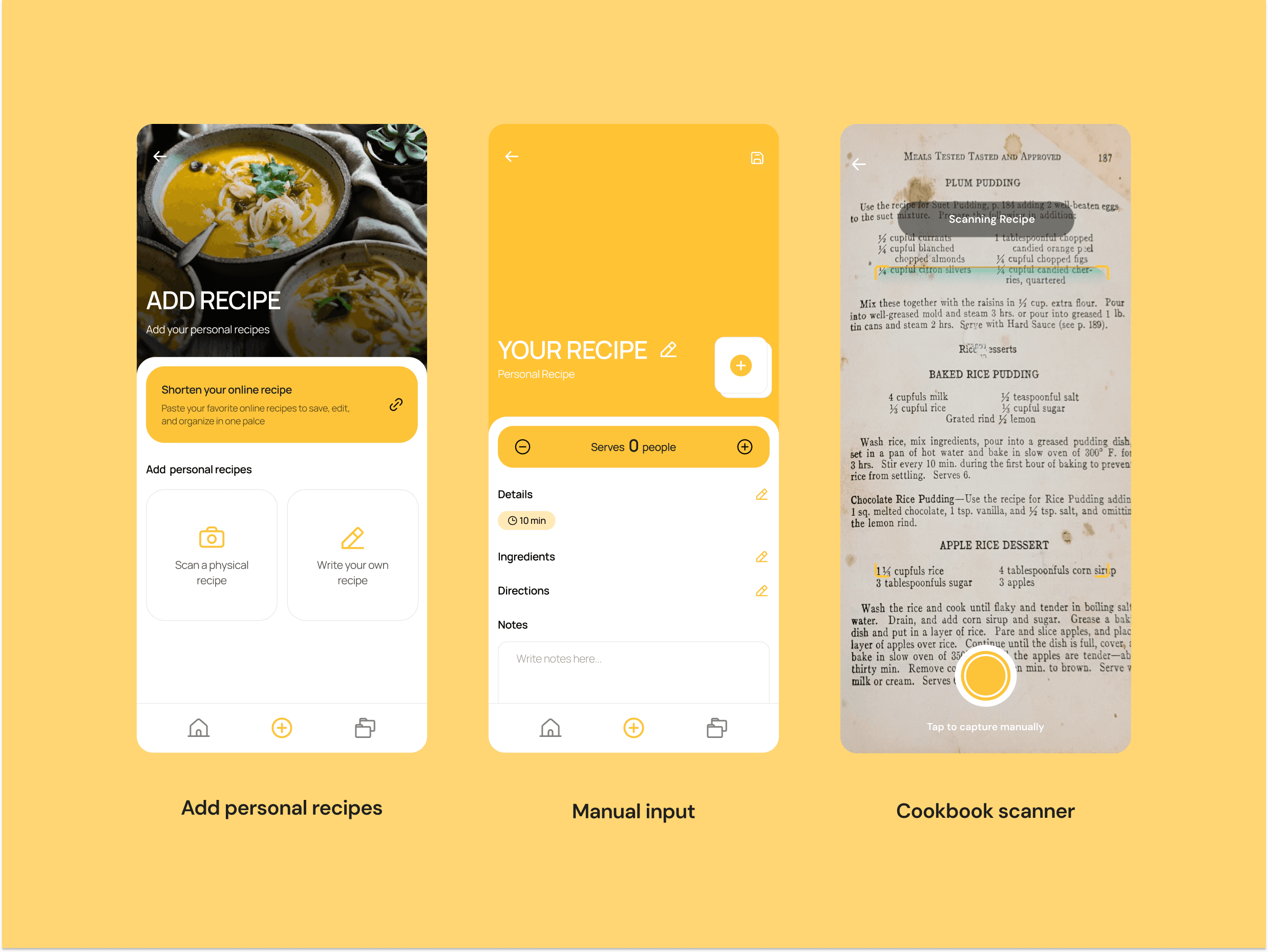
Feature 4 · Recipe Personalization
Add recipes from physical cookbooks by scanning, write your own from scratch, or tweak any online recipe to work for your family. The recipe becomes yours.
Addresses: The manual workaround users already use (copying to Notes); need for portion and ingredient flexibility.
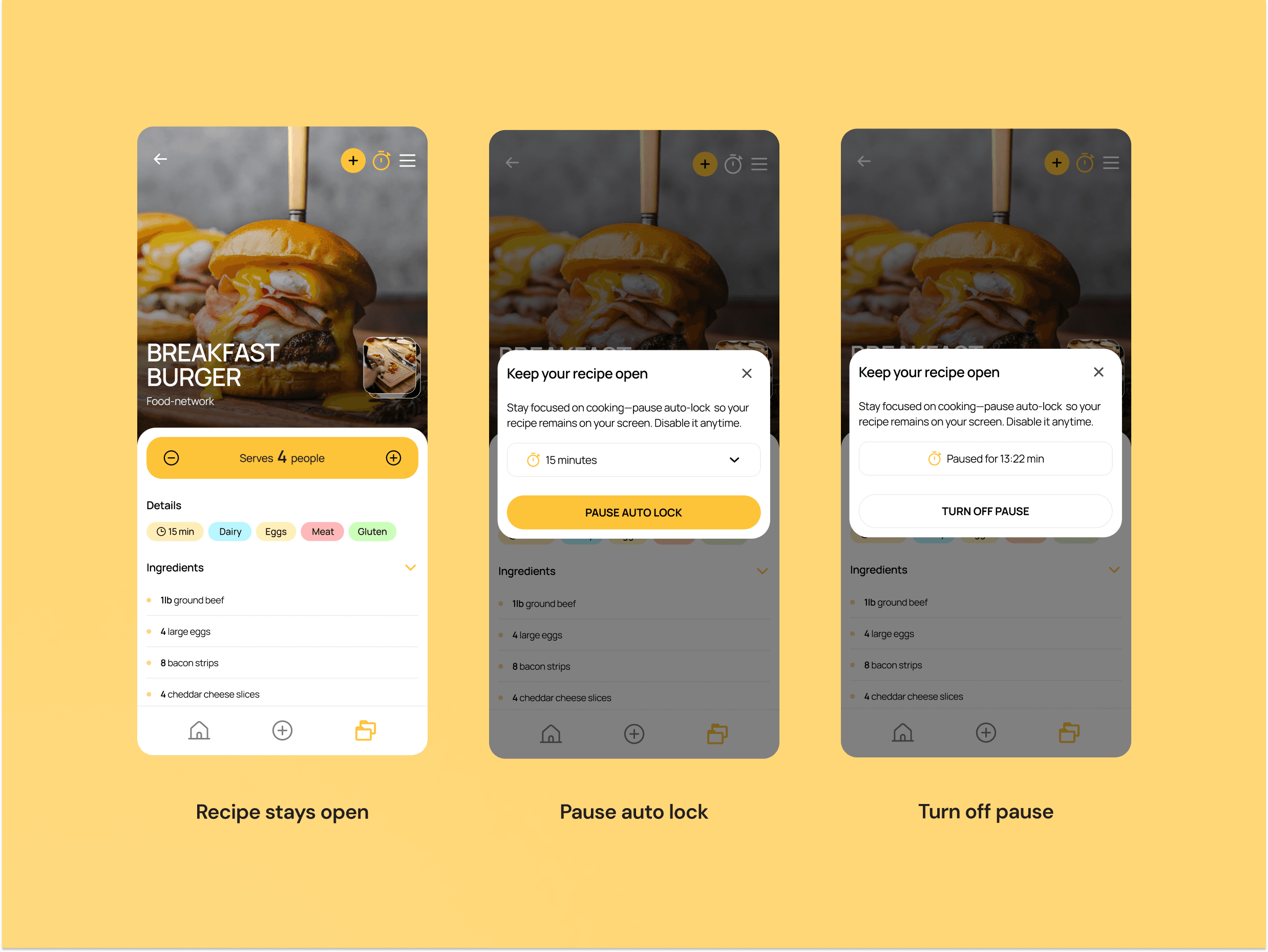
Feature 5 · Always On Display
While cooking, keep your recipe on screen without it timing out. The screen stays active so you never have to unlock your phone with messy hands.
Addresses: Mobile devices being the primary cooking companion; frustration with screen lock mid-cook.
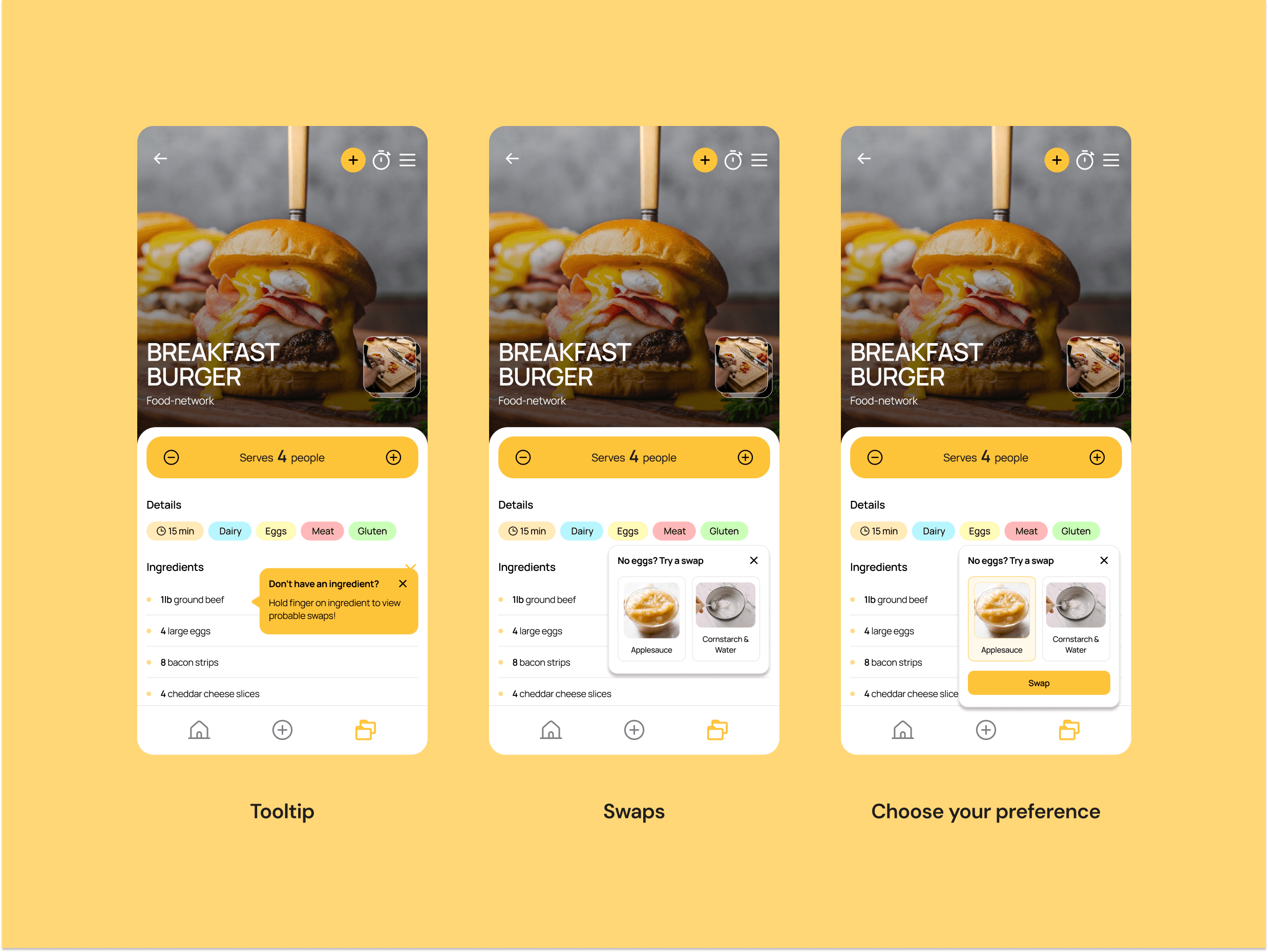
Feature 6 · Ingredient Alternatives
Hold your finger on any ingredient to view commonly swapped alternatives, useful when you're missing an item or cooking for dietary restrictions.
Addresses: Real-time flexibility while cooking; accessibility for users with dietary needs.
SUCCESS METRICS DEFINED
Time to reach recipe steps (target: under 10 seconds from open)
Recipe completion rate (did users cook the full recipe?)
Saves per user (engagement with the library feature)
Repeat weekly usage (retention)
Self-reported frustration reduction vs. existing tools
Reflection & Next Steps
This project taught me how much friction exists in a space that feels 'solved' at first glance. Recipe apps exist, but none fully address the core tension between a blogger's need to monetise content and a cook's need to just make dinner. BiteSize sits in that gap.
If I had more time, I would build and test four additional features:
Video → Text & Photo: Convert recipe videos into scannable text + image format
Shopping Lists: Auto-generate a shopping list from any saved recipe or weekly meal plan
Recipe Folder Sharing: Share a folder with a partner, family member, or flatmate
Collaborative Recipes: Co-edit recipes in real time with another user
I would also want to run longitudinal testing to validate the retention metrics — specifically whether users return to BiteSize week-over-week or revert to recipe blogs out of habit.
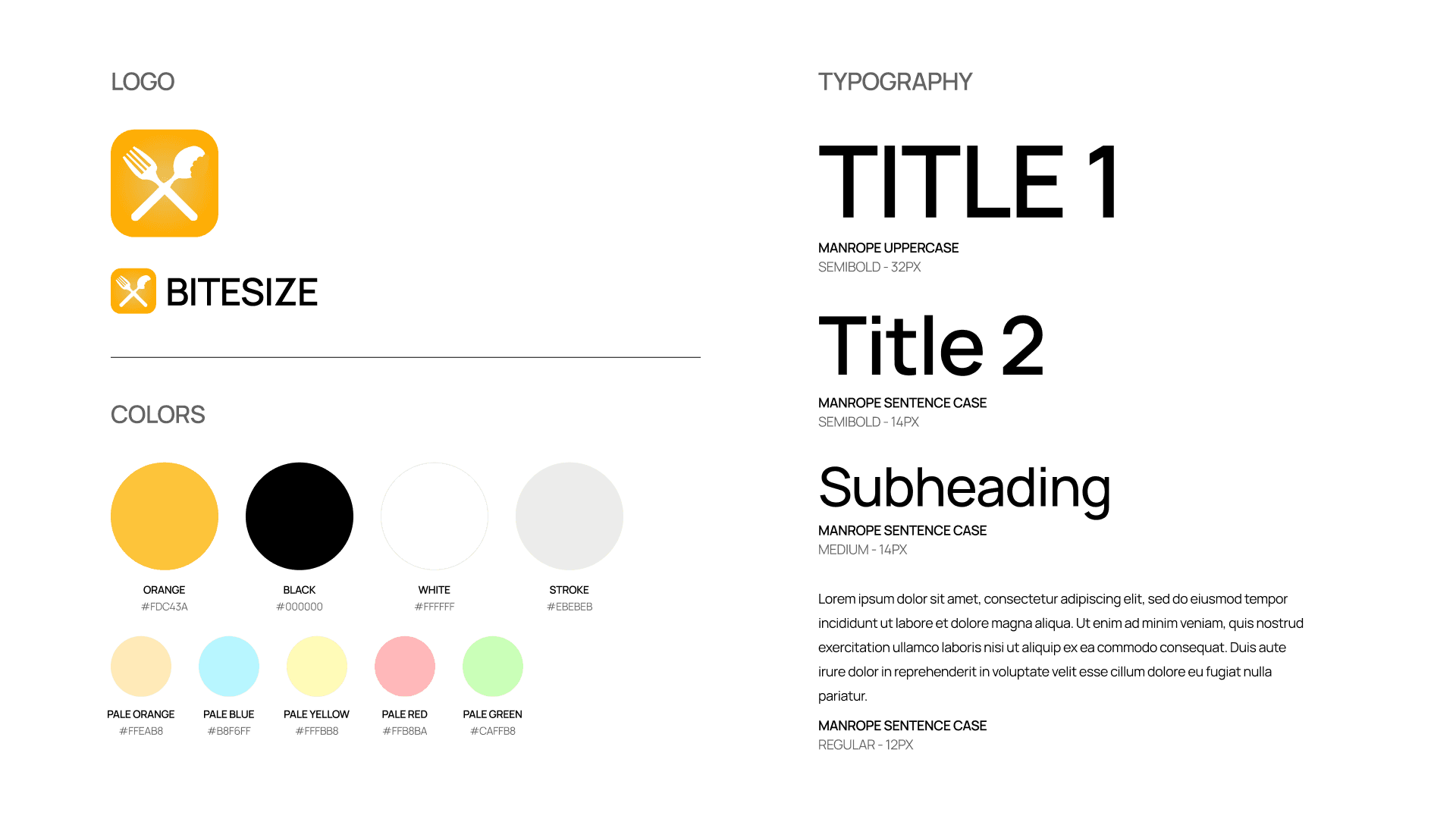
Design System
The BiteSize visual identity was designed to feel warm, focused, and confident — a direct contrast to the cluttered experience it replaces.